
I don’t know about you, but when I need a Record Type Id, I’m not the biggest fan of trying to find it in the URL of the Record Type page. Fear not, admins. There is an easier way than going to User, Profile, or Record Type pages to grab an idea. It’s called a SOQL query and it can be your best friend.
What is SOQL?
I’m so glad you asked! SOQL stands for Salesforce Object Query Language – basically, it’s tech speak for “Here’s how get data out of Salesforce programatically” – and it can be your friend.
That sounds all well and fine, but…
How do I actually use SOQL?
The easiest way is to use the query editor in the Developer Console. (You can also use Workbench until Salesforce kills it 😥 ). If you don’t know how to use the Developer Console, check out this Salesforce Help article it or Trailhead.
Once you’re in the Developer Console, click the Query Editor at the bottom. Type or copy/paste your query in and click Execute. You’ll get a table output of results and you can copy IDs directly from the table.
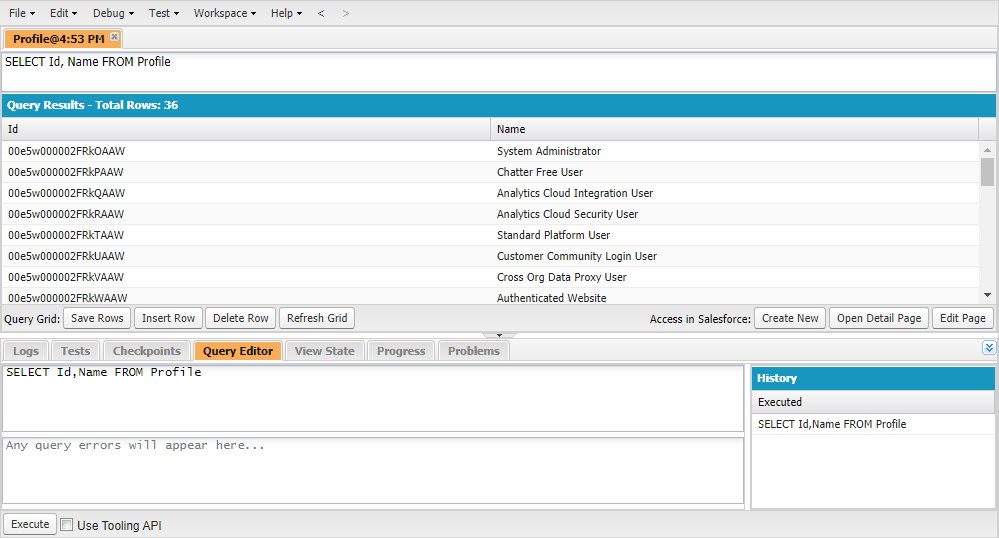
My favorite SOQL Queries
The SOQL statements below have two versions listed: Querying all records and filtering
Record Type
SELECT ID,Name FROM RecordType
SELECT ID,Name FROM RecordType WHERE SObjectType = 'Account'
Profile
SELECT ID,Name FROM Profile
SELECT ID,Name FROM Profile WHERE Name LIKE '%Admin%'
User
SELECT ID,Name FROM User
SELECT ID,Name FROM User WHERE FirstName = 'Jethro' SaaSy Sisters