

Note: You can do most of these things in Flow, especially as the Salesforce Product Team works to make Flow the end-all-be-all of Button-Click process automation. Stay tuned for a post about how to do these things in Flow!
My life as an admin has included not only being in charge of how Salesforce is configured, but also maintaining data – whether that’s moving accounts when territory changes are made (without territory management, I might add), uploading lists from trade shows, or making sure information is coming in correctly from integrated services. Process Builder has been around a few years now, but if you haven’t jumped aboard yet, here are some quick processes you can build to save yourself some data maintenance work.
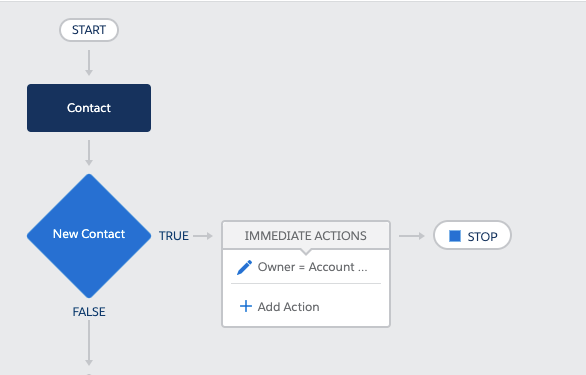
Quick Win #1: Update Child Record Owner to Match Parent Owner
This is a good one for things like making sure Contact records are assigned to the Account Owner. Wouldn’t it be great if Leads your Business Dev team converts to Contacts just automagically get assigned to the Account Owner?
Quick Win #2: Update Related Record Addresses to Match Parent Record Address Updates
You probably immediately thought about updating Contact records to match the Account address, but there are a few other Standard Objects that have Address Fields – like Contracts.
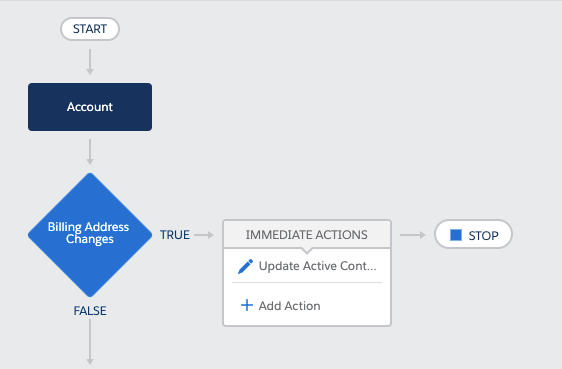
One caveat to this one – If the Account address is updated to a new Location, but Contacts are still at the old Location, they may get overwritten – One more reason to vote for the idea to bring Locations GA and not only for Field Service!
Quick Win #3: Field Updates on one Object update fields on other objects
It sounds kind of convoluted, but I like to think about this one as being your best friend when you have several fields that need updated on an Account when an Opportunity is Close Won. In my past life, I had to update Account Type and a custom Customer Since date field. Like everything in Salesforce, you could do this several different ways, but if there are other processes dependent upon it (like an Email Alert), it makes sense to put it in Process Builder.
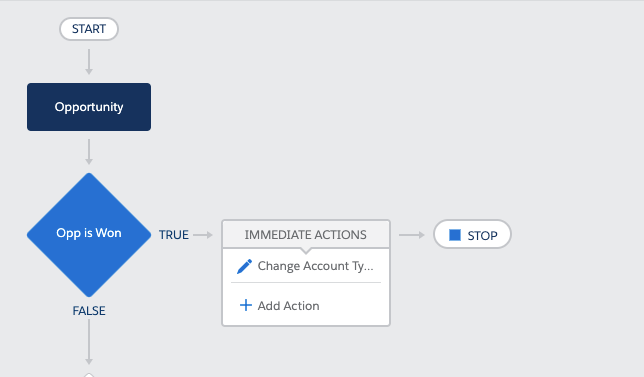
Another example of this might be if you track “Current Vendor” on the Account level, but your reps want to populate it at the Opportunity level (this never happens, right?). You might even sell different product lines and have different Vendor options on different Opportunity Record Types. Process Builder would be one way you could carry an update from Opportunity to Account (though this is probably something to ask your Architect to think about).
 SaaSy Sisters